

To find the right Consumables for your Printer use the search below with your Printer Model or Cartridge Part # .
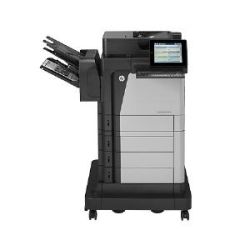 Click image for larger image.

Scan with certainty
Capture every page and detect potential errors â every time.

Robust 100-page automatic document feeder
Allows multiple pages to be copied or scanned at one time.

20.3 cm colour touchscreen
Manage jobs directly at the MFP, using the HP colour touchscreen.

On-the-go printing with HP ePrint and Apple AirPrint.
Print photos, documents and more when you're on the go, using HP ePrint.[9]
Get powerful performance to enhance workflow
Scan two-sided documents in a single pass with super-fast scan speeds. HP EveryPage allows employees to scan without worry and detect potential errors or missed pages on the spot â even when the weight, size or condition of pages varies.
Increase efficiency and streamline workflow with a suite of HP Flow MFP features and scanning solutions.
Easily tackle large jobs with a standard paper capacity of up to 3,100 sheets and paper-finishing options.
Quickly troubleshoot problems with cloud-based help services that are relevant and up to date.[1]
Protect your business â now and in the future
Safeguard and manage centrally your printing fleet with the HP Imaging and Printing Security Center and HP Web Jetadmin.[2]
Confidently safeguard the sensitive data sent to your MFP with the encrypted hard drive.
Secure your investment â depend on an MFP that can expand with your business, whenever solutions advance.
Safeguard security keys, passwords and certificates with the optional HP Trusted Platform Module.[3]
Enjoy easy and secure mobile printing[4]
Enable optional touch-to-print and touch-to-authenticate convenience from mobile devices.[5]
Enable secure peer-to-peer direct-access mobile printing without connecting to the corporate network.[6]
Easily print from a variety of smartphones and tablets â generally no setup or apps required.[4]
Pull print jobs from your pocket â walk up and print or scan from your USB drive.


